If you have ever tried to keep an ADHD to-do list, you probably know this one: a list that looked great at 9 a.m. and felt like an accusation by 3 p.m. Thirty items, three of them done, and none of the three were the ones that mattered. The next day there is a new list, or a new app, and the cycle starts again. A to-do list is supposed to calm you down. Too often it does the opposite.
The problem is usually not you. Standard to-do lists assume a brain that can hold priorities in mind, estimate time accurately and pick the next task without much friction. ADHD makes each of those harder. This guide explains why normal lists break down with ADHD, what research says about writing tasks down and planning them, and a five-step way to build an ADHD to-do list that is short enough to use and clear enough to act on.
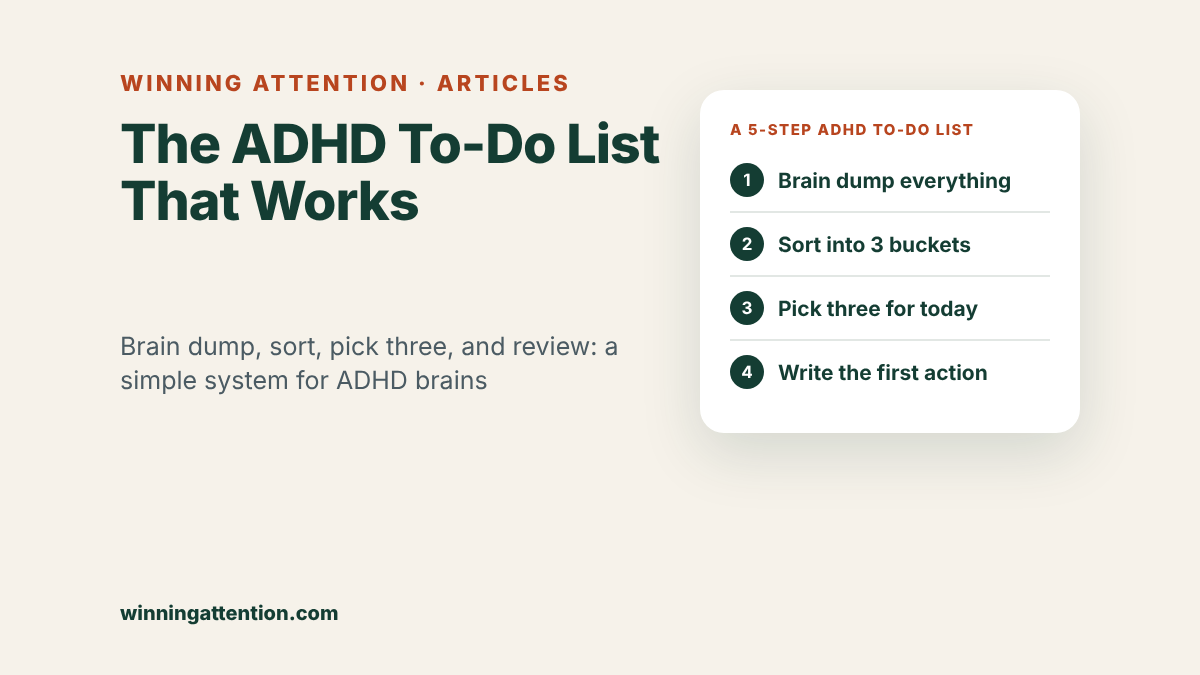
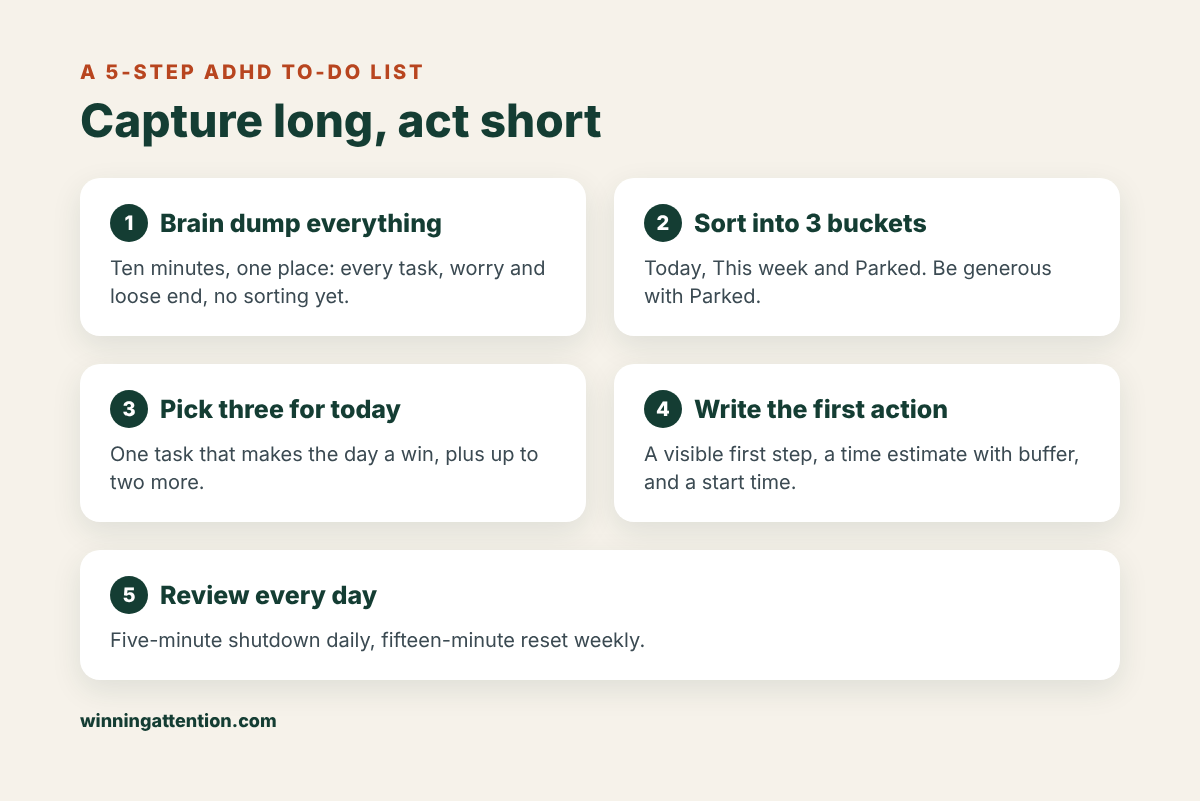
The short version: separate capturing from choosing. Brain dump everything into one place, sort it into Today, This week and Parked, pick no more than three tasks for today, rewrite each one as a small visible first action with a time attached, and review the list for five minutes at the end of every day. Your master list can be long. Your daily list should not be.
Why normal to-do lists don’t work with ADHD
A classic to-do list is one long column: everything you need to do, in the order it occurred to you. For many adults with ADHD, that format creates as many problems as it solves.
Your mental notepad is already full
Working memory is the short-term mental workspace you use to hold information while you work with it, such as remembering what you were about to do next. A meta-analysis of 38 studies found moderate differences in working memory between adults with ADHD and adults without ADHD, for both verbal and visual-spatial information, and concluded that these difficulties persist into adulthood (Alderson et al., 2013).
In daily life, this means that tasks you do not write down are easily lost, and tasks you do write down still need to be re-read, re-sorted and re-decided every time you look at the list. A long, unsorted list asks your working memory to do the very job it struggles with.
Unfinished tasks keep tugging at your attention
Psychologists have long suggested that unfinished goals stay active in the mind. In a series of experiments, unfulfilled goals caused intrusive thoughts during an unrelated reading task and poorer performance on an unrelated word puzzle. But when participants were allowed to make a specific plan for the goal, those interference effects disappeared, even though the goal itself was still unfinished (Masicampo & Baumeister, 2011). These studies were not done with ADHD samples, but the idea is useful: it is not only the unfinished task that drains attention, it is the unfinished task with no plan.
You may have heard this called the Zeigarnik effect, the claim that people remember unfinished tasks better than finished ones. That specific memory claim has been hard to replicate. A 2025 meta-analysis found no memory advantage for unfinished tasks, but did find a general tendency for people to go back and resume tasks that were interrupted (Ghibellini & Meier, 2025). So be cautious with popular explanations. The more solid point is the one from the planning experiments: writing a task down and deciding when you will do it helps your mind let go of it for now.
Long lists create too many choices
Looking at forty tasks and asking “what should I do now?” is a hard decision. Research on choice overload outside ADHD suggests that more options are not always better. A meta-analysis of 99 observations from earlier studies (N = 7,202) found that choice overload was more likely when the choices were complex, the decision was difficult, people were unsure what they preferred, and they wanted to minimize effort (Chernev et al., 2015). This research is about consumer choices, not task lists or ADHD, but the pattern is familiar: a long, mixed list of hard-to-compare tasks, viewed when you are tired, is a recipe for doing nothing or picking the easiest item.
Time estimates run optimistic
A list without time attached quietly assumes everything fits into the day. With ADHD, that assumption is especially risky. A 2024 meta-analysis that pooled 824 effect sizes found a moderate-to-large difference in time perception between people with and without ADHD (g = 0.688) across the lifespan (Metcalfe et al., 2024). If tasks routinely take longer than you expect, a list of twelve “quick” items is not a plan, it is a wish. The article on ADHD time blindness goes deeper into this.
What the research says makes a to-do list work with ADHD
No study has tested “the perfect ADHD to-do list.” But several lines of research point in the same direction, and they shape the method below.
- Getting tasks out of your head is a real strategy, not a crutch. Psychologists call this cognitive offloading: using physical actions, such as writing a note or setting a reminder, to reduce the mental demand of a task. A major review describes it as a common, everyday strategy and examines both when people choose to do it and what it does to thinking (Risko & Gilbert, 2016). For a brain with less working memory to spare, offloading is especially valuable.
- Specific plans beat general intentions. A large meta-analysis of studies on implementation intentions, if-then plans that link a specific situation to a specific action (“When I sit down after lunch, I will open the tax form”), found a medium-to-large positive effect on reaching goals compared with goal-setting alone (Gollwitzer & Sheeran, 2006).
- Structured planning skills help adults with ADHD. In a randomized trial of 86 adults with ADHD who still had significant symptoms despite medication, 12 sessions of cognitive-behavioral therapy (CBT) that included organization and planning skills outperformed an attention-matched relaxation program. On the ADHD rating scale, 67% responded to CBT compared with 33% in the comparison group (Safren et al., 2010).
- Time management and organization can be taught. A 12-week group program focused on time management, organization and planning improved inattention symptoms more than supportive therapy in 88 adults with ADHD (Solanto et al., 2010).
- The broader picture. A meta-analysis of 32 studies of CBT for adult ADHD found small-to-medium benefits compared with control groups, both for symptoms (g = 0.65) and for daily functioning (g = 0.51) (Knouse et al., 2017).
Skills programs like these usually include a single place to capture tasks, a daily routine for choosing what to work on, breaking large tasks into small steps, and assigning tasks to specific times. The method below borrows those ingredients. It is a self-help structure, not a replacement for treatment.
How to make an ADHD to-do list: a 5-step method
The key idea is to stop asking one list to do every job. Use a long master list to capture, and a very short daily list to act. The first setup takes about 20 minutes. After that, the daily version takes five to ten.
Step 1: Brain dump everything into one place
Set a timer for ten minutes and write down every task, errand, worry and loose end you can think of. Do not sort, rank or judge. Big projects and tiny chores can sit side by side. The goal is to empty your head into one trusted place.
That one place matters. If tasks live in three apps, two notebooks, your email inbox and a pile of sticky notes, you will always wonder what you have forgotten. Choose one notebook or one app as your master list and treat everything else as a temporary inbox that gets emptied into it.
Brain dump prompts when your mind goes blank
- Work: deadlines, emails waiting for a reply, meetings to prepare for, things you promised someone.
- Home: bills, repairs, cleaning, groceries, things to return or sell.
- Health: appointments to book, prescriptions to refill, forms to send.
- People: birthdays, calls to return, plans to confirm.
- Money and admin: taxes, subscriptions to cancel, documents to file.
- The nagging stuff: anything that has been “on my mind” for more than a week.
Step 2: Sort into three buckets
Now go through the brain dump once and put each item into one of three groups:
- Today: things with a real deadline today or tomorrow, or that someone is waiting on.
- This week: things that need to happen soon but not today.
- Parked: ideas, maybes and someday projects. They are written down and safe, but you are not committing to them now.
Be generous with the Parked bucket. Many items on a long list are not really tasks; they are hopes, ideas or vague guilt. Parking them is not giving up on them. It is choosing not to carry them around every day.
Quick sorting questions
- Is there a real consequence if this slips past this week? If not, it is probably Parked.
- Is someone else waiting on this? That usually moves it up.
- Is this actually a project with many steps? Write the project name in This week or Parked, and only its next step goes on a daily list.
Step 3: Choose no more than three tasks for today
Your daily list should be short enough to see at a glance. Pick one task that would make the day a win if it were the only thing you did. Then add up to two more. Anything beyond that goes in a small “if time” line underneath, with no expectation attached.
Three is not a magic number from research. It is a practical limit that keeps the list small enough to hold in mind, leaves room for the fact that tasks often take longer than planned, and reduces the “where do I even start” problem that long lists create.
How to choose your one task
- Pick the task with the biggest real-world consequence: money, a deadline, a person waiting.
- If two tie, choose the one you have avoided longest. It is likely using the most background mental energy.
- If it is too big to finish today, the task for today is its next concrete chunk.
Step 4: Rewrite each task as a first visible action, with a time
Most tasks on a typical list are labels, not actions. “Taxes” or “Mom’s birthday” tells you what the topic is, but not what to do when you sit down. For each of your daily tasks, write the very first physical step, a rough time estimate (then add half again as a buffer), and when you will start.
For the most important or most-avoided task, turn it into an if-then plan. Linking a specific cue to a specific first step makes starting less of a decision.
Examples of rewritten tasks
- “Taxes” becomes: “Find last year’s tax return and put it on the desk. 15 min. After breakfast.”
- “Mom’s birthday” becomes: “Order the book she mentioned from the bookstore website. 10 min. In the admin block at 1 p.m.”
- “Project report” becomes: “When I sit down at 9:00, I will open the report file and write the three section headings. 30 min.”
- “Dentist” becomes: “Call the dentist’s office and book a cleaning. 5 min. When I take my lunch break.”
Once a task has a clear first action and a start time, you may find it easier to focus on it. For more on getting through the task once you begin, see the guide on how to focus with ADHD.
Step 5: Review for five minutes a day and fifteen a week
A to-do list only works if it stays current. A list that is a week out of date quickly becomes one more thing to avoid. Build two short reviews into your routine.
The daily shutdown (5 minutes)
- Tick off what is done. Seeing it crossed out is a real record of progress.
- Move anything unfinished to tomorrow, This week or Parked. Do not let it silently pile up.
- Choose tomorrow’s one task, so the morning starts with a decision already made.
The weekly reset (15 minutes)
- Empty all temporary inboxes (sticky notes, email flags, phone notes) into the master list.
- Look at the week ahead and move items from This week into specific days.
- Skim the Parked list. Delete anything you no longer care about. Promote anything that has become urgent.
This is also where the planning experiments matter. Each time you give an open task a specific place and time, you are telling your mind it does not need to keep reminding you about it.
An ADHD to-do list template you can copy
Here is a simple daily layout that puts the five steps on one page. You can draw it in a notebook, print it or set it up as a note on your phone.
| Section | What goes here | Example |
|---|---|---|
| Today’s one task | The task that would make the day a win, written as a first action | Write three section headings for the report (30 min, 9:00) |
| Two more tasks | Up to two other tasks, each with a first action and start time | Book the dentist (5 min, lunch); pay the electric bill (10 min, 1 p.m.) |
| If there is time | Optional extras, no pressure attached | Return the library books; reply to the neighbor |
| If-then plan | One cue linked to the first step of the hardest task | When I finish my coffee, I will open the report file |
| Brain dump space | New thoughts and tasks that show up during the day | Ask about invoice; buy batteries |
| Done | What you finished, including things that were not on the list | Report headings, dentist booked, fixed printer |
If you would rather start from a ready-made page, the free ADHD Daily Planner Starter Kit includes a one-page daily planner with space for one main task, a brain dump and short work sprints, plus a weekly energy tracker and a 2-minute reset card.
Putting it together: a worked example
Here is how the method might look for a fictional person, Priya, a teacher with ADHD, on a Sunday evening. Her current list is a notes app with 63 items, many of them duplicates, and she has stopped opening it.
- Brain dump (10 minutes). Priya copies the 63 items onto paper, adds eleven more that were only in her head, and crosses out nine duplicates. Seeing everything in one place is uncomfortable, but for the first time she knows what is actually there.
- Sort (10 minutes). Eight items go into Today and tomorrow, fourteen into This week, and the rest into Parked, including “learn Spanish,” “reorganize the garage” and “start a podcast.” She feels a small sense of relief as the active list shrinks.
- Choose three (2 minutes). For Monday, her one task is grading the science quizzes, because the grades are due Tuesday. Her other two are emailing a parent back and renewing her car registration, which expires Friday.
- Rewrite as actions (5 minutes). “Grading” becomes “When I sit down in my classroom at 3:15, I will grade the first ten quizzes. 40 min.” The registration becomes “Open the state DMV renewal page and fill in the form. 15 min. Lunch break.”
- Review. On Monday afternoon she grades twenty quizzes, emails the parent, and runs out of time for the registration. During her five-minute shutdown she moves it to Tuesday’s one task, because the deadline is getting close, and picks the remaining quizzes as the second task.
Priya did not finish everything on Monday. But the most important task moved forward, nothing was forgotten, and the unfinished item was given a new home instead of becoming a vague source of guilt. That is what a working list looks like in real life.
Paper or app: which works better with ADHD?
There is no research showing that one format is better for ADHD in general. The best choice is the one you will open every day. A few considerations can help you decide.
- Paper stays visible on your desk, has no notifications or rabbit holes, and makes crossing things off satisfying. It is easy to lose, though, and hard to search.
- Apps are always with you, can set reminders at specific times and places, and handle recurring tasks well. They are also easy to ignore, and the phone they live on is full of distractions.
- A hybrid works well for many people: a master list in an app (so it is searchable and always with you) and a short daily list on paper (so it is visible while you work).
Whichever you choose, give it at least two or three weeks before switching. Changing systems feels like progress, but it often resets you to the beginning.
What to do with a never-ending ADHD to-do list
If your list keeps growing faster than you can finish it, that is not a personal failure. It usually means the list is doing too many jobs at once. These steps help:
- Declare list bankruptcy, safely. Move everything older than a month into a new Parked list, dated today. You can still find it, but it stops shouting at you. Anything truly important will resurface.
- Separate projects from tasks. “Plan the wedding” is a project with dozens of steps. Keep the project name on the master list and put only the next step on a daily list.
- Delete without guilt. Some items have quietly stopped mattering. Crossing them off on purpose is a decision, not a failure.
- Delegate or drop. For each lingering item, ask whether someone else could do it, whether a simpler version would be good enough, or whether it can simply be let go.
- Batch small tasks. Group calls, emails and online forms into one admin block so they do not scatter across the day.
- Measure the day by the one task. If it moved forward, the day counts, even if the master list is still long.
To see how a short daily list fits into a whole day with focus and admin blocks, the guide on how to plan your day with ADHD walks through a full schedule.
Common mistakes to avoid
- Using the master list as the daily list. A long list is for capturing, not for deciding what to do next. Keep the daily list to three tasks.
- Writing labels instead of actions. “Taxes” is a topic. “Find last year’s return” is something you can start.
- Leaving out time. A list without estimates hides how overloaded the day is. Add rough times and a buffer.
- Keeping several lists in several places. Half your tasks will always be in the other one. Choose one master list.
- Skipping the review. An outdated list quickly becomes one more thing to avoid. Five minutes at the end of the day keeps it trustworthy.
- Making the list beautiful instead of usable. Color-coding and stickers can be fun, but if setting it up takes longer than doing the tasks, simplify.
- Restarting from scratch after a bad week. Missing a few days does not mean the system failed. Do a weekly reset and pick up from today.
When to talk to a professional
A good to-do list can make daily life noticeably easier, but it is not a treatment for ADHD. If disorganization is affecting your job, studies, finances, relationships or health, or if you are feeling persistently overwhelmed, anxious or low, talk to a doctor, psychologist or other qualified clinician. The same applies if you have never been assessed and suspect you may have ADHD. Evidence-based options include medication, CBT and structured skills programs focused on organization and planning, and many people benefit from a combination.
Frequently asked questions
Why don’t normal to-do lists work with ADHD?
Typical lists are long, unsorted and have no times attached, so they lean heavily on working memory, prioritizing and time estimates, which are all areas where research shows people with ADHD tend to struggle. A long list can also make it harder to choose where to start. Splitting the list into a long master list and a short daily list helps.
How do you make an ADHD to-do list?
Brain dump everything into one place, then sort it into Today, This week and Parked. Choose no more than three tasks for today, rewrite each as a small first action with a time estimate and start time, and turn the hardest one into an if-then plan. Review the list for five minutes at the end of each day.
What is an ADHD brain dump?
A brain dump is a short, timed session where you write down every task, worry and idea in your head without sorting or judging them. It moves information out of your working memory and into one trusted place. Research on plan making suggests that writing tasks down and deciding when to handle them can reduce how much they intrude on your thoughts.
How many tasks should be on an ADHD to-do list?
Your master list can be as long as it needs to be, but your daily list works best when it is short. A practical limit is one main task plus up to two others, with any extras in an optional “if time” line. That keeps the list easy to see at a glance and leaves room for tasks that take longer than expected.
Is paper or an app better for an ADHD to-do list?
Neither is better for everyone; the best one is the one you will actually check every day. Paper stays visible and has no distractions, while apps are portable and good for reminders. Many people use an app for the master list and a paper page for the short daily list.
What do you do with a never-ending to-do list?
Move anything older than a month into a dated Parked list, separate projects from their next steps, and delete items that no longer matter. Batch small tasks into one admin block. Judge each day by whether your one main task moved forward, not by how long the master list still is.
Sources
- Alderson RM, Kasper LJ, Hudec KL, Patros CH. Attention-deficit/hyperactivity disorder (ADHD) and working memory in adults: a meta-analytic review. Neuropsychology. 2013;27(3):287–302. PubMed
- Masicampo EJ, Baumeister RF. Consider it done! Plan making can eliminate the cognitive effects of unfulfilled goals. Journal of Personality and Social Psychology. 2011;101(4):667–683. PubMed
- Ghibellini R, Meier B. Interruption, recall and resumption: a meta-analysis of the Zeigarnik and Ovsiankina effects. Humanities and Social Sciences Communications. 2025;12:962. DOI
- Chernev A, Böckenholt U, Goodman J. Choice overload: a conceptual review and meta-analysis. Journal of Consumer Psychology. 2015;25(2):333–358. DOI
- Metcalfe KB, McFeaters CD, Voyer D. Time-perception deficits in attention-deficit/hyperactivity disorder: a systematic review and meta-analysis. Developmental Neuropsychology. 2024;49(1):1–24. PubMed
- Risko EF, Gilbert SJ. Cognitive offloading. Trends in Cognitive Sciences. 2016;20(9):676–688. PubMed
- Gollwitzer PM, Sheeran P. Implementation intentions and goal achievement: a meta-analysis of effects and processes. Advances in Experimental Social Psychology. 2006;38:69–119. DOI
- Safren SA, Sprich S, Mimiaga MJ, et al. Cognitive behavioral therapy vs relaxation with educational support for medication-treated adults with ADHD and persistent symptoms: a randomized controlled trial. JAMA. 2010;304(8):875–880. PubMed
- Solanto MV, Marks DJ, Wasserstein J, et al. Efficacy of meta-cognitive therapy for adult ADHD. American Journal of Psychiatry. 2010;167(8):958–968. PubMed
- Knouse LE, Teller J, Brooks MA. Meta-analysis of cognitive-behavioral treatments for adult ADHD. Journal of Consulting and Clinical Psychology. 2017;85(7):737–750. PubMed
Turn this into a daily plan
Get the free ADHD Daily Planner Starter Kit: a one-page daily planner, a weekly energy tracker and a 2-minute reset card.